[2025] I tried 12 GenAI UI Builders so you don’t have to - Here’s which one is the best! 🤔
February 2025
With GenAI UI tools and features launching every week, it’s getting harder to know which ones are actually worth your time. Many claim to automate everything from wireframes to dev-ready code, but can they really replace parts of the design workflow?
I wanted to explore what practically works for Product Designers: Are these tools any good? Can they be integrated into real workflows? And do they genuinely speed things up?
I tested 12 of the most talked-about/promising AI User Interface (UI) builders. Here’s the ones that stood out!
Method
- The goal of this experiment is to find which tool has the best generated AI UI outputs.
- Prompts were generated and refined using ChatGPT.com — based on both fictitious and real world feature scenarios.
- Prescriptive prompting was used, focusing on web app interfaces.
- Only the text-to-UI generation feature of each tool was tested, evaluated with 1–4 rounds of unique prompting dependent on outputs.
- All tools were tested using their Free Trial Plan.
Refer to end of article for Criteria + Evaluation Table + Figjam grab file
The Tools
I define AI User Interface (UI) builders as any tool that generates UI screens. When looking at the tools they fall into 2 categories: UI Generation and No-Code/Vibe-Code.
UI Generation: Creates UI layouts or code from prompts, fast scaffolding for screens or components.
Tools reviewed: Relume.io, usegalileo.ai, Uizard.io, Visily.ai, Uxpilot.ai, Builder.io
No-code/Vibe-Code: Builds full apps (UI + logic) without writing code — for MVPs or prototypes.
Tools reviewed: Readdy.ai, Lovable.dev, V0.dev, Softr.io, Bolt.new, Replit.com,
Top UI Generation Tools:
Usegalileo.ai
Turns text prompts into UI designs for web and mobile, with Figma export support.
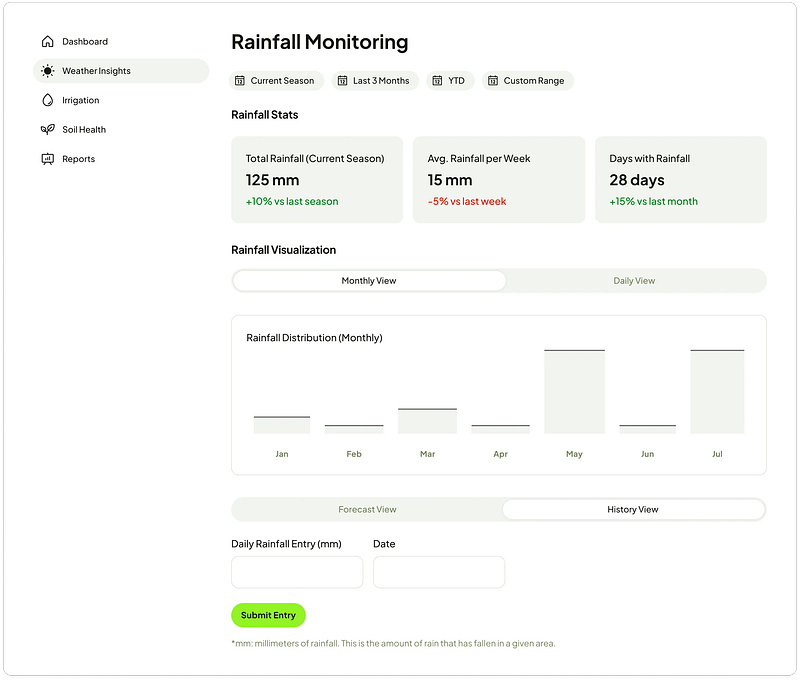
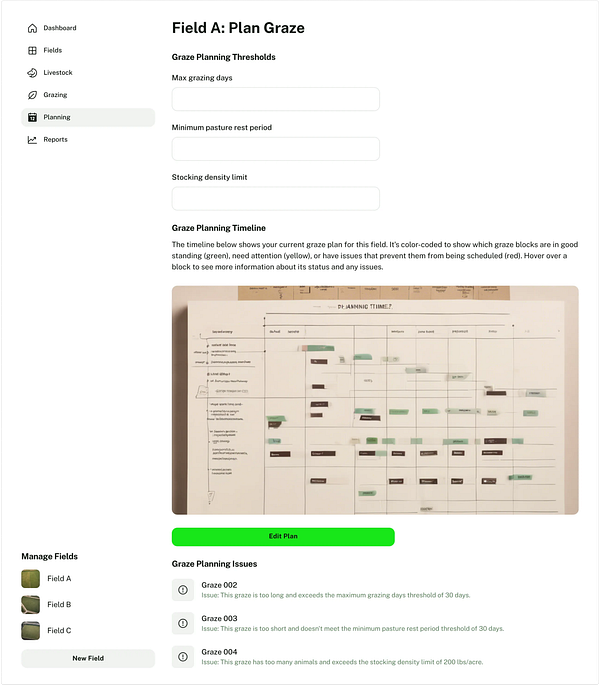
I see Usegalileo.ai as a potential tool for early stage UI discovery and ideation, for straight forward prompts it creates wireframes, that follow standard design patterns. When it starts to get into detailed prompt requirements that’s when it astray’s, it can’t critically generate, and mashes everything together. In short, a tool to supplement standard design inspiration desk research.
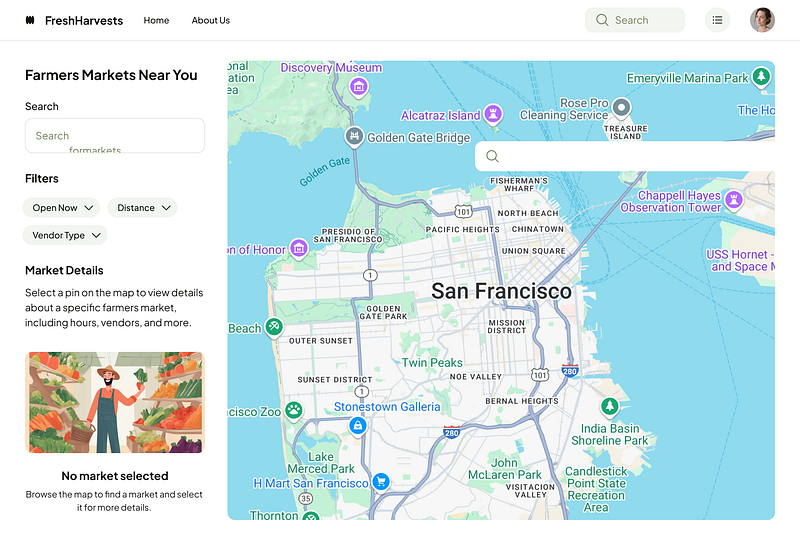
Usegalileo.ai
✅ What I liked- Low/mid-fidelity outputs, can be used to support wire-framing and influence initial design ideation- Seamless one-click copy button from Galileo into Figma- On first prompt it generates 2 screen options, you can also select specific areas to edit and further prompt- Works well with simple and straightforward prompts
🤔 What I didn’t like- Fails to generate complex prompts that require merged UI elements- At times seems like it’s grabbing a bunch of components and putting it together- Quite basic design outputs, lacking visual flair
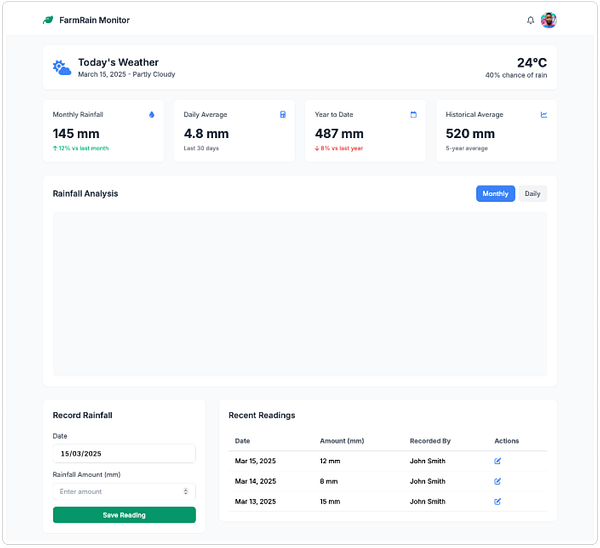
Usegalileo.ai (Left) Rainfall Chart Prompt — (Right) Graze Prompt
Uxpilot.ai
Chat-based UX assistant for generating ideas, flows, and layout suggestions.
Overall, Uxpilot.ai was the best UI generation tool, it excelled in critically understanding the prompt requirements. Generating design ideas, and screens that can be used to influence high-fidelity designs. The “Deep Design” feature is another plus, producing an iteration that is more refined, creating further layout and component placement options.
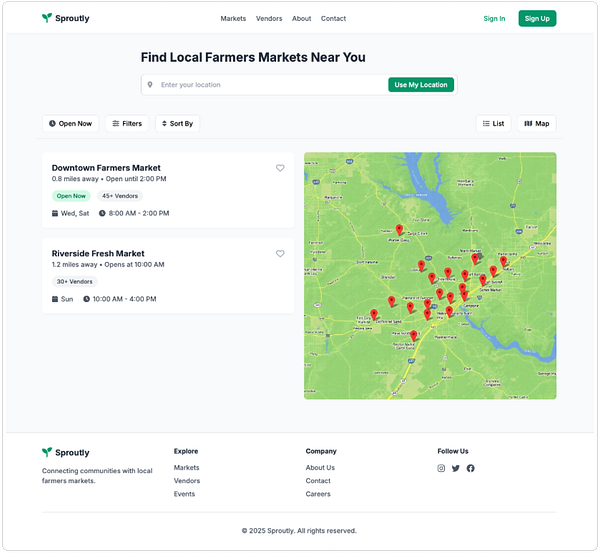
✅ What I liked- Mid/high-fidelity outputs, can be use to build off into wire-frames and prototypes. Quick first draft sense check with stakeholders.- “Deep Design” toggle feature generates more detailed UI designs- Switch between Wireframes, Hi-fi Designs and Multiple Screen flows- Generates one screen at a time, can further edit/prompt specific areas- Seems to be trained on a more cohesive library, therefore creating designs aligned with design principle and pattern standards
🤔 What I didn’t - Requires UX Pilot Pro Plan to export screens to Figma- Doesn’t generate visualisations of charts
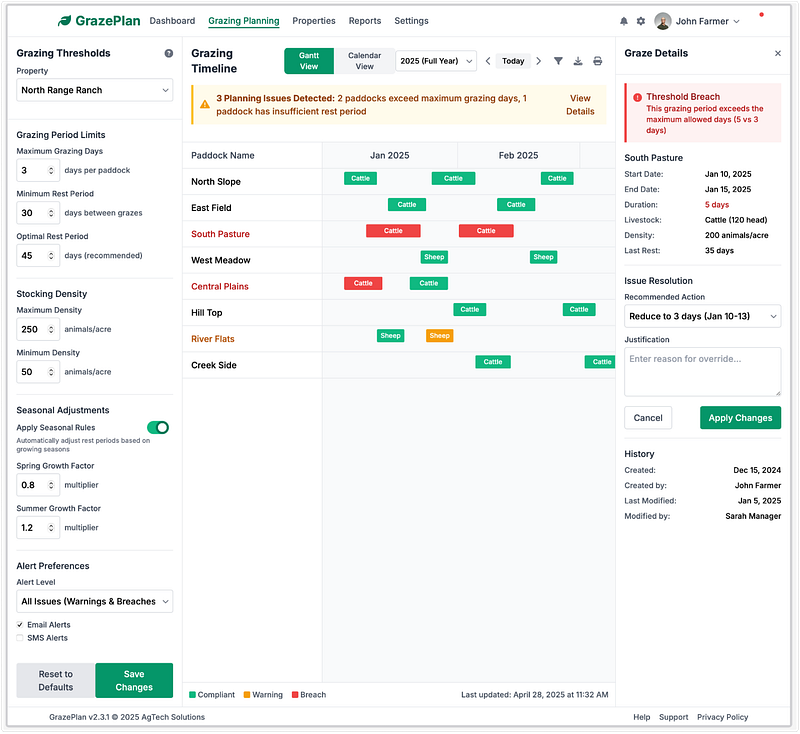
Uxpilot.ai (Left) Rainfall Chart Prompt — (Right) “Deep Design” Graze Prompt
Top No-Code/Vibe-Code Tools:
V0.dev
You describe the UI, it generates high-quality production React (Next.js + Tailwind + shadcn/ui).
Out of all the tools V0.dev was the most intuitive, it had the best prototype interactions, coupled with its suggestions of “additional features” made it really stand out from the rest. The design output is of high quality and it addressed exactly what the prompt is asking of it — compared to Readdy.ai (next tool) it’s almost on equal par.
Not evaluated — but another aspect that is important to highlight is V0’s production ready back-end output. Consider, in your workflow how might v0.dev be used to accelerate your design and engineering processes?
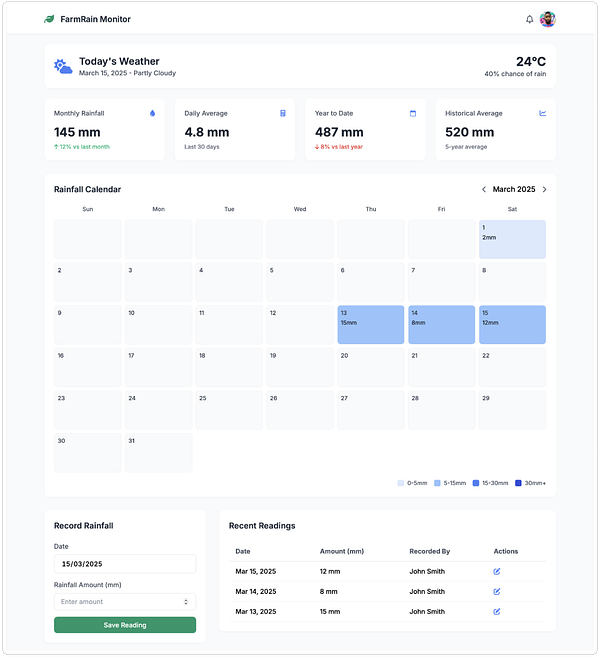
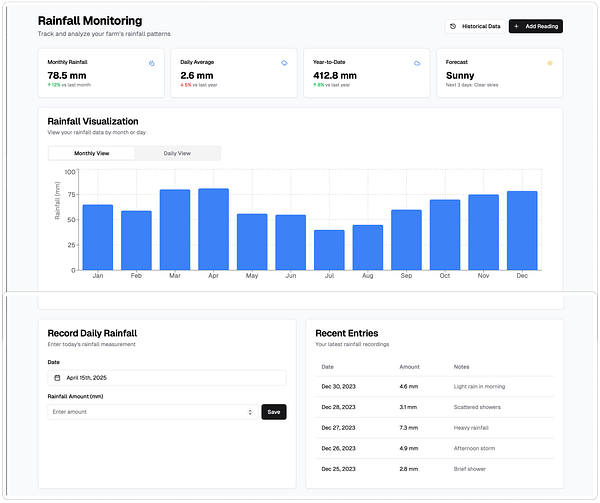
V0.dev (Left) Rainfall Chart Prompt — (Right) Rainfall Calendar Prompt
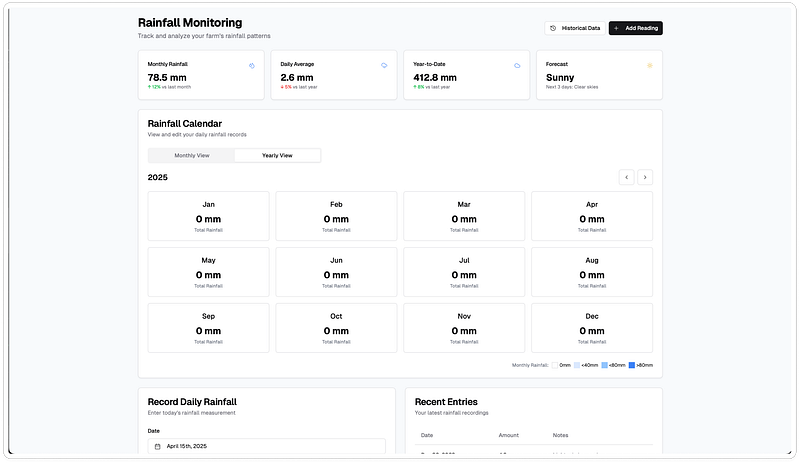
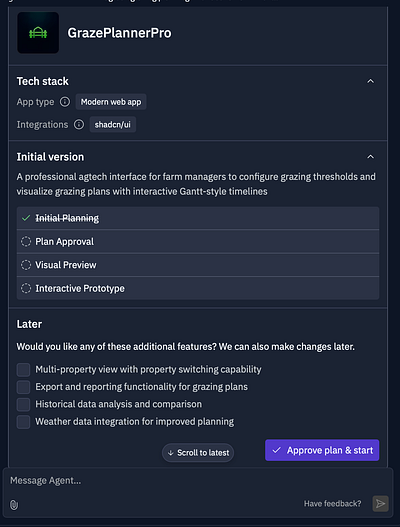
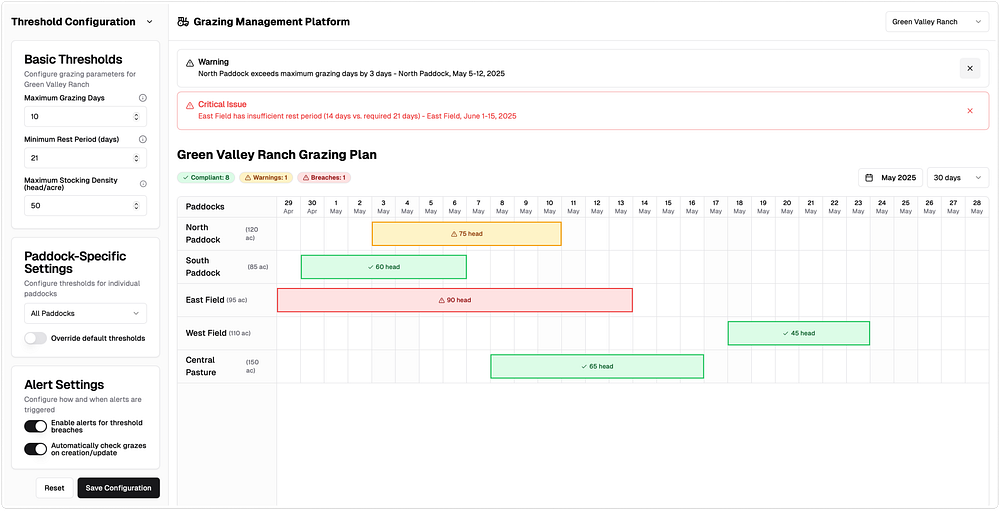
✅ What I liked- Mid/high-fidelity outputs , can be use to build off into wire-frames and prototypes. Can be used for initial feasibility check with dev teams, as well as a first review with stakeholders.- Generates clean, structured React + Tailwind + shadcn/ui code- You can further edit/prompt specific areas- Interactive prototype preview that you can further interact with. - Import available from Figma into V0.dev, Third Party plugin from V0.dev into Figma- Provides additional feature recommendations that you can add to your output
🤔 What I didn’t like- There’s not direct export into Figma from V0.dev, you have to use a 3rd party online plugin
V0.dev (Left) Prompt Review + “Additional Features” — (Right) Graze Prompt
Readdy.ai
Turns text prompts into polished UI designs and React code, ready for Figma or dev handoff.
Finally, we have Readdy.ai out of all 12 tools I’ve reviewed Readdy had the best UI output, it was be able to deliver on whatever prompt requirements I gave it to a high level of visual quality — this is what differentiated it from the rest. Where other tools have failed to either understand the prompt or left in an empty/blank state, Readdy was able to bring it to life.
Readdy.ai (Left) Rainfall Calendar Prompt — (Right) Rainfall Chart Prompt
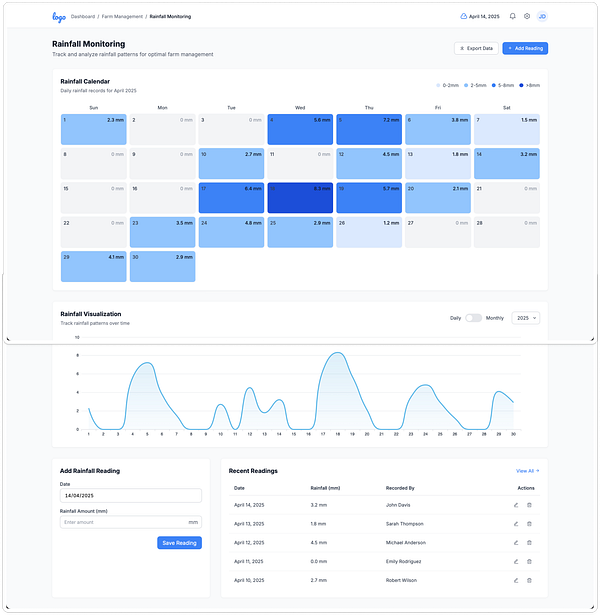
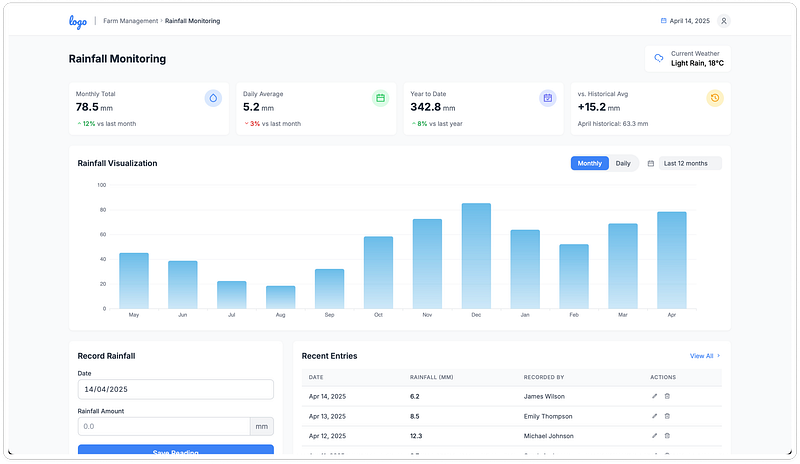
✅ What I liked- Mid/high-fidelity visual standards, can be use to build off into wire-frames and prototypes. Suitable for a quick draft sense check with stakeholders.- Clean React component code, focuses on front-end (no backend logic), exports into creatie.ai.- Provides a breakdown of the layout and components it’s building in the chat interface- “Selector” feature to pick areas to further edit/prompt
🤔 What I didn’t - Not as interactive compared to some other tools, requires further token generation - Have seen instances of random code appearing in generated UI screen - Requires Pro Plan to export to Figma
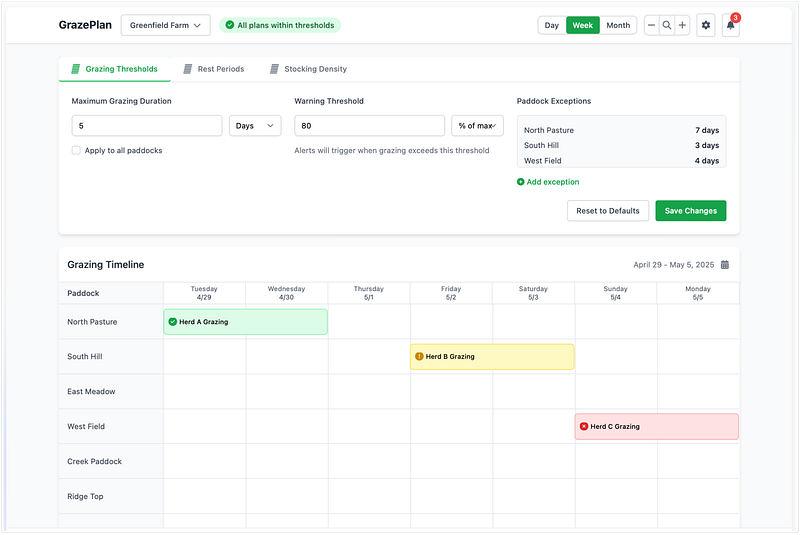
Readdy.ai Graze Prompt
TL:DR - Top Tools
Galileo.io → Early-stage low/mid-fi wireframe ideation
Uxpilot.ai → Concept discovery and wireframe ideation
V0.dev → Mid/Hi-fi UI + high-level interaction previews + Dev-ready code
Readdy.ai → Mid/Hi-fi UI + React output for Dev
Final Thoughts
AI powered design tools are here to stay. With new releases dropping weekly, I think it would be naive for Product Designers to ignore the momentum in this space.
That said, I don’t believe these AI UI Builders are replacing human design thinking any time soon. But they do create value in specific moments in the design process:
✅ When they help:
- Great for kickstarting early-stage ideation with low/mid-fi wireframes and layouts
- Speeding up the iterative feedback loop, allows for stakeholder alignment with visuals that communicate early concepts
- Design-Dev feasibility conversations, leading to accelerated engineering
- Can be used to spark new ideas or break through creative blocks
🤔 Where they fall short:
- Struggle with complex prompts that require combining multiple features or UI elements
- Limited ability to adapt designs based on edge cases or nuanced scenarios
- Rely heavily on familiar UI patterns, leading to repetitive and generic-looking designs
I like to think of UI builders as a “Junior Product Designers”. With your guidance, the tools will be able to support you in creating the design structure/layout, as well as giving potential suggestions for further designs. But they lack the empathy, context, and critical thinking of a human-centred designer.
By the nature of the tools training, most of their outputs are based on pattern recognition: guided by the most common design patterns, principles, online resources, libraries, and design systems. As a result, the outputs are quite cookie cutter, intrinsically biased — all built in a similar manner.
In the end, what GenAI UI builders need is your expertise as a Product Designer - your sharp eye, critical thinking, and human-centred perspective, weaving in the layers of desirability, viability, and feasibility.
What’s Next?
Having done this tool comparison I’ll be subscribing to the paid versions of the top tools, I’m keen to further explore its usage in my design workflow.
Some areas I’m looking to dive into next:
- GenAI UI Prompting: Exploring the usage of different prompting formats like prescriptive vs explorative vs specification — and how they influence output quality across both UI Generation and No-Code/Vibe-Code tools.
- Dev x Design: Looking beyond UI, collaborating with developers to build a integrated workflow for accelerating engineering
- Design System Integration: With access to premium features, I’ll test how well these tools support design system integration and whether they can plug into existing workflows more seamlessly.
UI Generation Tools Comparison
| Relume.io | useGalileo.ai | Uizard.io | Visily.ai | Uxpilot.ai | |
|---|---|---|---|---|---|
| Summary | Generate clean site structures and components from prompts, then edit visually | Create high-fidelity design concepts using natural language prompts inside Figma | Turn wireframe sketches or text into visual prototypes in minutes | AI-assisted UI builder with wireframe-to-mockup conversion and team collaboration | Chat-based UX assistant for generating ideas, flows, and layout suggestions |
| Relevance & Quality | 1 | 1 | 3 | 3 | 4 |
| Accuracy | 1 | 4 | 3 | 3.5 | 4 |
| Usability | 4 | 5 | 3.5 | 4 | 5 |
| Speed | 5 | 5 | 4 | 4 | 3 |
| Sum | 11 | 18 | 13.5 | 14.5 | 16 |
| Cost | Starter $18 / Pro $40 USD/mo | Standard $16 / Pro $32 USD/mo | Pro $12 / Business $39 USD/mo | Pro $11 / Business $29 USD/mo | Standard $12 / Pro $22 USD/mo |
| Output type | Wireframes → UI designs/websites | Pixel-perfect Figma mockups | UI mockups + interactive prototypes | Editable UI mockups (Figma-style) | UX flows and screen structures |
| Figma export | Needs Relume Figma Kit plugin | Copy directly into your own Figma file | No Figma export | Plugin export to Figma | Requires Pro to export |
| Screens generated | 1 page at a time | 2 options, continuously promptable | 6 screens across different flows | 1 screen at a time | 1 screen at a time |
| Design feedback | Low visual quality, good for wireframing landing pages | High quality, influences hi-fi designs | Mid-level, supports rapid lo-fi design | Mid-level, good for hi-fi support, includes userflow diagramming | High quality, influences hi-fi designs |